Stake Casino Login and Sign-Up for Canadian Gamblers
Canadian players must complete the sign-up procedure, which requires them to enter their address, full name, email and other information before they can do a Stake Casino login, deposit and play with real cash. Customers must be at least 18 years old if they are located in Alberta, Manitoba and Quebec or 19 years old if they live in other provinces. After registration, setting up the wallet requires KYC. Sign-in is available without identity verification, but real-money play is suspended.
How to Register for Stake Casino Login
We require all customers to create a profile at our casino before they can use the wallet, claim promotions and explore over 4,000 games by 70+ providers. The steps explain how to complete registration from a PC or smartphone.
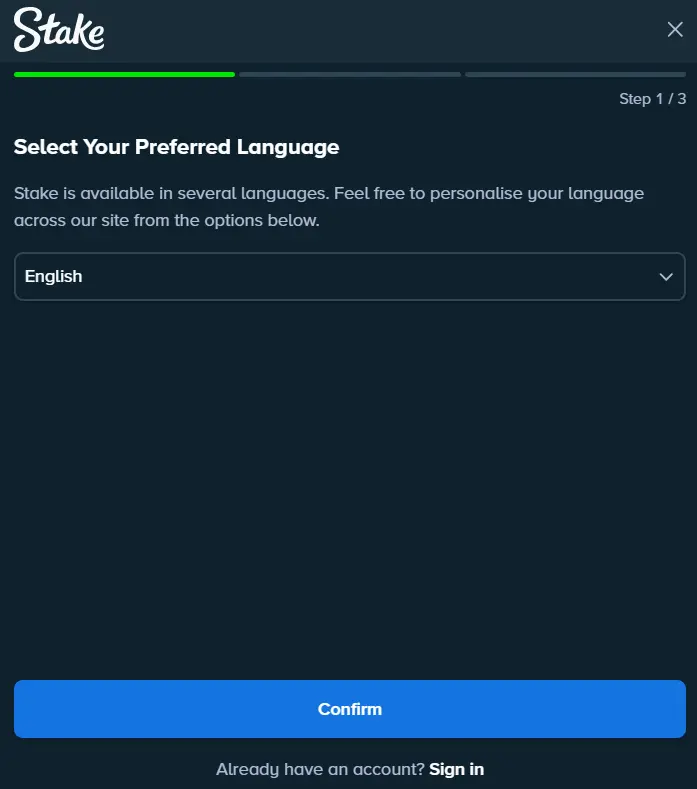
- Initiate registration: Click the “Register” button at the top of the site next to the Stake login button.
- Choose language: Select between English and French. Other languages are also available.
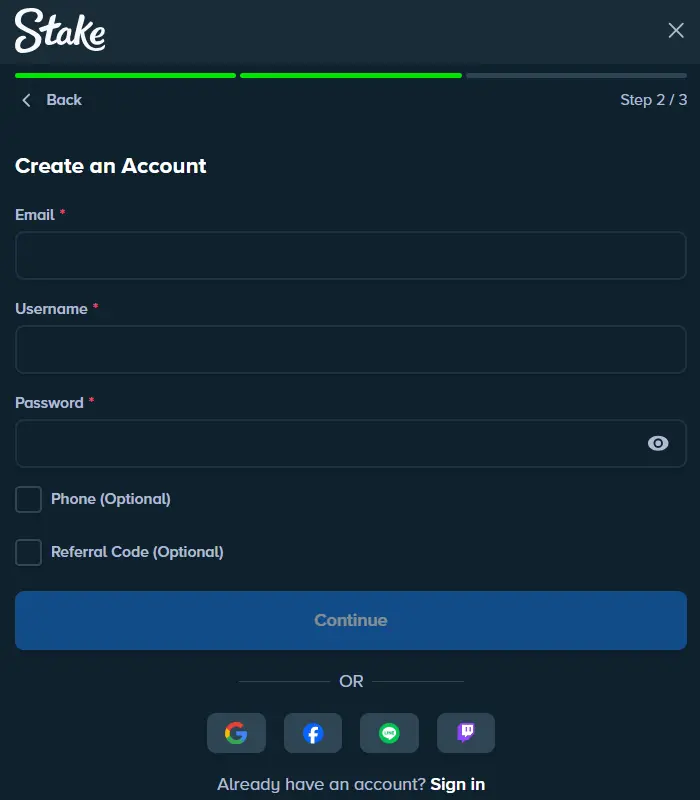
- Enter details: Share your email and date of birth, and create a password and username.
- Accept the terms: Read our terms and conditions before accepting.
- Login: Enter either your email address or username and password to complete the first login.
Optionally, you can sign up using a Line, Facebook, Google or Twitch account. Just confirm the data sharing, and you will be able to access your new profile within seconds.
Sign-Up Requirements
All members must be physically located in Canada and be at least 18 or 19 years of age, depending on the province, to proceed with registration. The sign-up must be completed only once. Creating multiple accounts is not allowed, and it’s against our policy. Multiple profiles will be suspended.
Users need a valid, government-issued document and an address-proving document before they can complete verification for Stake Canada login. This can be completed during wallet setup. You also need a bank card, an eWallet or a crypto wallet to deposit funds to your balance after the sign-in procedure and play with real cash. Without funding, you can play only demo games.
Account Verification
After registration, Canadian players have to complete KYC, which is divided into 4 levels. This is mandatory and must be completed partially before the first deposit and the rest before the initial withdrawal. You can set up the wallet to complete the 2nd level after the sign-in process is done. The additional two levels can be completed from the settings menu after the Stake Casino Canada login.
| Level | Documents | Explanation |
|---|---|---|
| 1 | Information | Entered during signing up. |
| 2 | Passport, ID card or driver’s license | Photos of these documents are needed for identity confirmation. |
| 3 | Utility bill or bank statement | Address confirmation. Other documents might be accepted. |
| 4 | Source of funds | A document proving the source of income used for gambling. |
We advise you to complete KYC after your first sign-in. Not only does this verification improve account security, but it also increases betting limits and unlocks withdrawals. It can last up to 24 hours, and additional documents may be requested.
Stake Login Steps
To enter your profile with Stake sign in, you need to enter your credentials and the code we will send you. Here are the steps you should follow for a successful login.
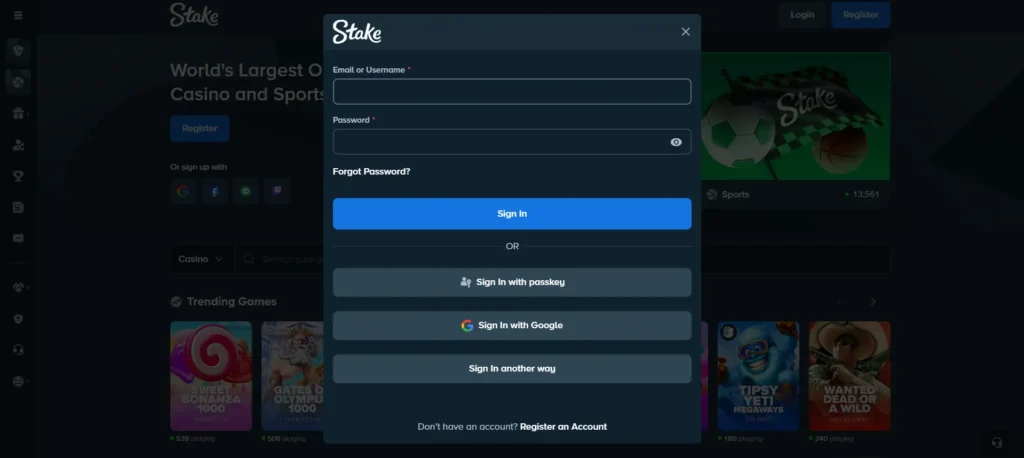
- Initiate login: Click the “Login” button in the top-right corner of the website.
- Enter credentials: You can enter either a username or an email address, along with a password.
- Confirm: Ensure the data is accurate, then approve it. You will be directed to the homepage.
The login procedure uses 256-bit SSL encryption. We advise you to enable 2FA, which adds an extra layer of security. Only save the data if you are the sole user of that device, and it is password-protected.
Mobile App Logging In
Accessing your account via the app with Stake Casino sign in is almost the same as on the desktop. However, to complete the login, you need to install the software and launch it first. Our Android app uses a PWA approach, which is downloaded directly from the website. iOS users get the software from the App Store.
Open the application and enter the password paired with either an email or a username and proceed with the login. If 2FA is activated, you will have to use an authenticator app to access your profile.
Registration Details
For registration, we require personal data such as an email address, full name, date of birth and address. These have to be entered while creating a profile for Stake Canada sign in. Additionally, you will have to enter a telephone number to enable CAD currency after registration. This is done within the wallet settings menu. Finally, photos of government-issued documents, utility bills and source-of-income photos are used for KYC levels 2-4.
Possible Stake Canada Login Complications
It may be that you cannot access your profile at our casino due to issues or mistakes. Here are the common issues with the login and their solutions.
| Issue | Fix |
|---|---|
| Wrong email | You made a mistake entering the email address. |
| Incorrect password | It was forgotten or changed. |
| Login unavailable | You are trying to access the website with the Stake Casino Canada sign in from a restricted country. |
| Wrong code | The code you entered has expired. |
| Unable to log in | Your account was suspended for breaking TOS. |
How to Delete Profile after Registration
Once the sign-up is complete, you can delete the profile by contacting the support team and requesting that they remove it from our database. This whole process can take up to 24 hours, and we will notify you once it’s done. You won’t be able to log in or access your page. The easiest way is to use live chat, available 24/7. Login becomes available only if you register again.
For Canadians who are worried about gambling addiction or similar issues, we offer self-exclusion from Stake log in. It can be set by contacting the support agent and requesting this service. Choose a duration of 6 months to 10 years or indefinitely. Once configured, which takes a few minutes, you won’t be able to complete the login process as long as this tool is active. There’s no way around it, and you cannot cancel it before the specified time frame.
FAQ for Login and Registration
How to delete Stake account?
You cannot delete a Stake account yourself. You need to contact support and request permanent account closure. In some cases, support may ask for identity verification before closing the account.
How long does Stake verification take?
Verification can take from a few minutes to several days. The time depends on the documents submitted and the number of requests being processed.
How to change email on Stake?
Go to account settings or contact support and complete any required security verification.
How to reactivate Stake account?
Contact support. Reactivation depends on the reason for closure or restriction and may require verification.
How to enable 2FA on Stake?
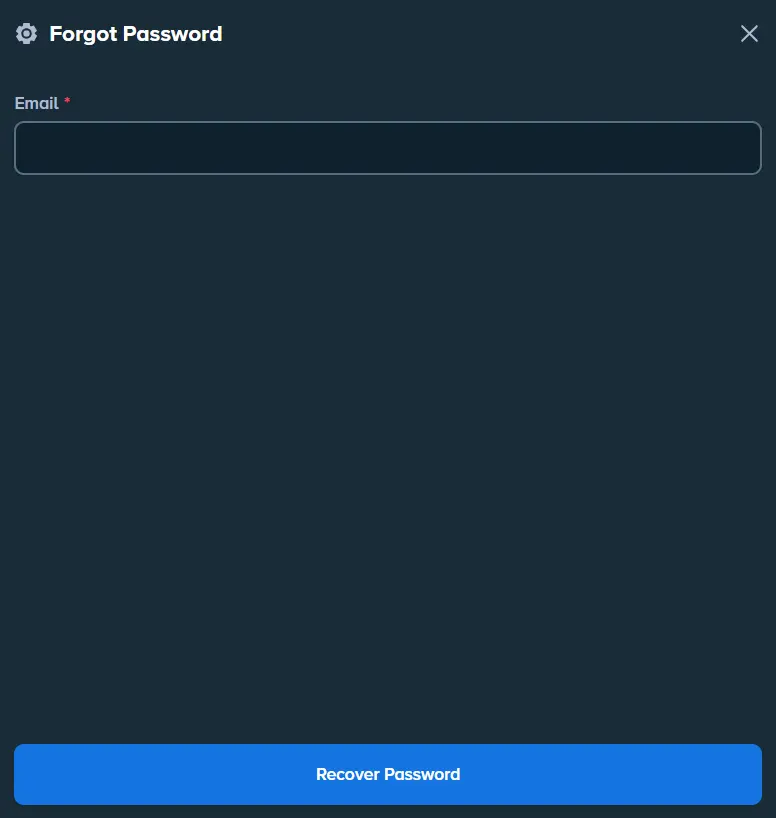
Go to Security Settings, select Two-Factor Authentication, scan the QR code with an authenticator app and enter the verification code.